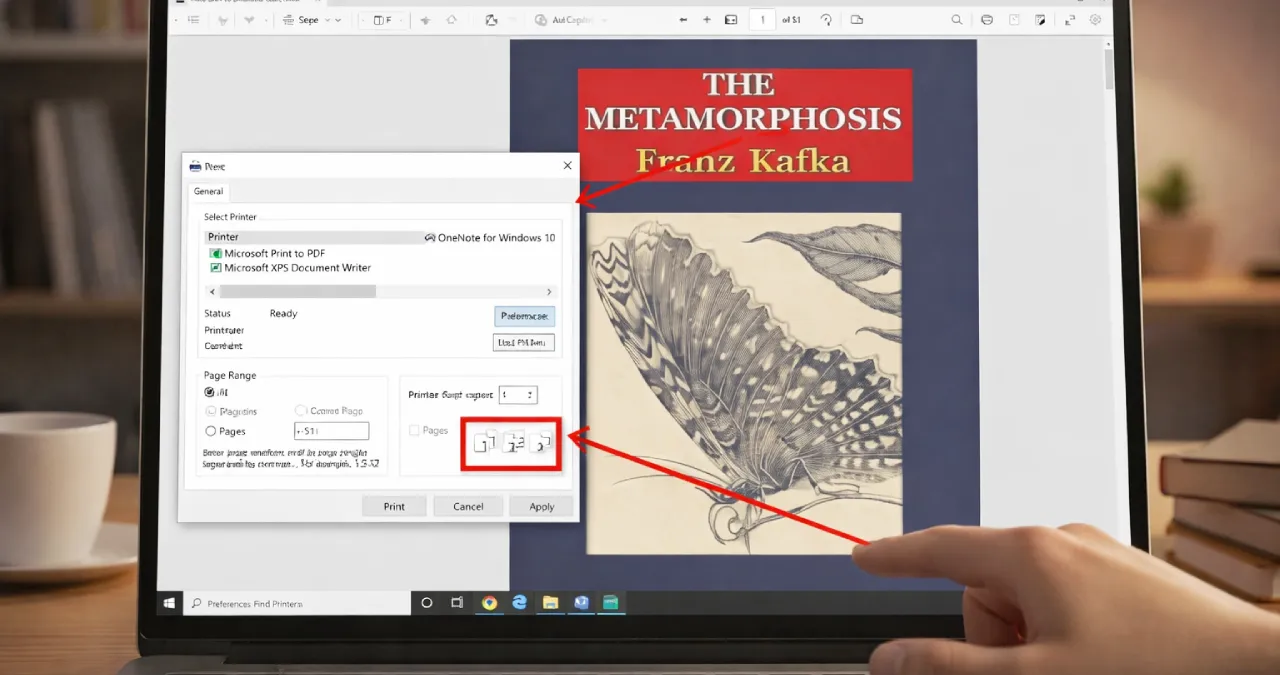
Are you a bibliophile who loves reading books and wants to keep them printed sequentially to enjoy a flawless reading experience? If not, suppose you are a working professional who is assigned to print multiple pages of a document. Once in a while, if you are going to print a document, you have definitely explored the “collate” term in your print settings. Here in the Elivestory blog, I will give a complete walkthrough of What does collate mean when printing, why it exists, and what benefits it has. Read the blog from scratch to discover in more detail.
Table of Contents
What Does “Collate” Mean?
Have you ever questioned yourself about what does collate mean when printing? Collating is a printing function that helps print a document in the correct order, especially in the correct sequence to assemble each set properly, without keeping printed pages in a stack. Above all, collate acts as a help to make multiple document copies in a more sequential manner rather than indulging in any unnecessary page-by-page mass printing. Let me clarify this for you.
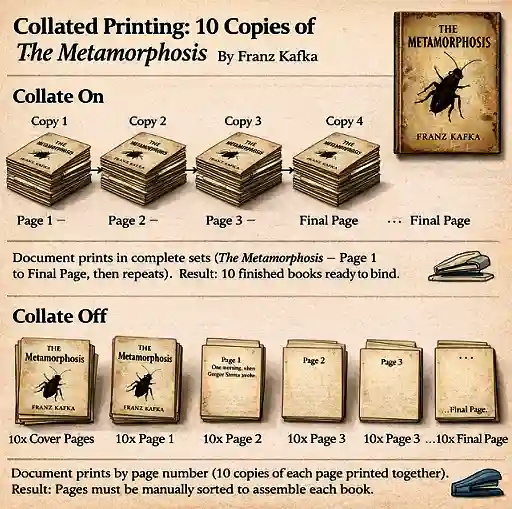
Suppose you are going to print Franz Kafka’s book Metamorphosis with 10 copies. The book supposedly has 51 pages. It means you have to print 10 copies, each having 51 pages. Let’s see what would happen with or without collating.
If you have disabled the printing feature, collate it will print the first page 10 times, the second page 10 times, and continue the cycle. It will continue until you reach the end, and require them to manually arrange them in proper sequential order.
Now, let’s take the second instance. By enabling the collate feature in printing, you can print 51-page copy 1 in order from starting page 1 to end page 51, then copy 2 in the same format. It will meanwhile allow you to get all 10 copies of the 51-page metamorphosis book in correct sequential order, removing your effort to manually arrange them. Let’s check the image below to make it easy to understand visually.
When Should You Collate?
Collated printing is usually seen in the printing of collateral materials stemming from manuals, booklets, and reports, which are multi-page documents. This printing feature enables you to sort pages sequentially of a copy with no need to manually arrange them, saving a lot of time and effort. Because of this, collated printing is widely seen across diverse industries.
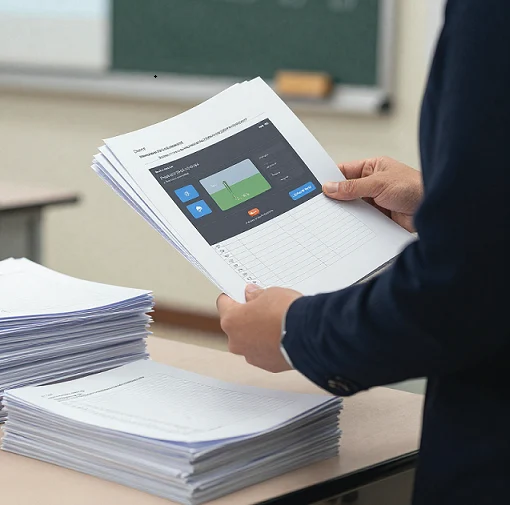
Administrators, teachers, and even book lovers often print multi-page documents by enabling this printing feature. Even corporate professionals use collected documents for meetings and presenting information to clients. It is a boon for printing multiple copies of any document to print in sequence, properly, with no need to go for an arrangement that would become tedious and time-consuming.
How It Works
In collating all pages of a multi-page document, they are printed sequentially, which lessens the need for manual rearrangement. To know the basic work mechanism behind what collating means when printing, check the information below in tabular format.
| Feature | Collated Printing | Uncollated Printing |
| How pages print | Prints complete sets in order | Prints the same pages together |
| Output Order | Copy 1 → Page1, Page2, Page3 Copy 2 → Page1, Page 2, Page 3Copy 3 → Page1, Page 2, Page 3 | All Page 1, then All Page 2, proceed with All Page 3 |
| Arrangement | Each copy is maintaining the correct sequential order | Pages need to be sorted manually |
| Ready to Use? | ✅ Yes, ready to bind | ❌ No, needs manual arrangement |
| Best For | Books, reports, assignments | Handouts, single-page flyers |
Benefits of Collated Printing
Let’s have a look at why document printing needs to enable the collate feature, or the main benefits behind it.
- Efficient enough to save effort & time: Collated printing does not need manual rearrangement as the entire process leads to sequential printing of a multi-page document. There is no exaggeration that, unlike uncollated printing, the collated printing saves time and effort that would otherwise require multiple admin and administrator involvement for tackling the manual sorting process.
- Professionally present document in an organized manner: Collated printing documents are more polished & genuine than uncollated ones. Suppose you are going to attend a meeting or arange document for your school presentation, keeping the document organized rather than a disorganized assortment exemplifies your respect for work discipline.
- Prevent Mistakes: Collated printing is invaluable for the precise arrangement of the document. Unlike manual sorting, you need no worry about paper misplacement. Everything is arranged with precision that makes you feel relaxed.
Should I Print Collated or uncollated?
What you supposedly need with your printing, whether collated or uncollated, the choice is entirely yours. Let’s have a look at some situations where collated printing seems worthwhile.
Suppose you are in a hurry and never want to lose it at any cost, then collated printing would be your lifesaver.
It can help you save your precious time by arranging papers in well sequential way. You do not need to wait for further manual sorting. Moreover, it is also useful, for instance, when your toner or ink in your printing device runs low. Suppose your toner cartridges are completely exhausted; the collated printing will at least make some copies of your document for you. Uncollated printing otherwise fails to do so.
Troubleshooting Collate Issues when printing & ways to fix
Suppose you are going to print a document by enabling the collate features on. Now let’s have a look at a certain issue that you may encounter while printing multiple pages of a document in a proper sequence. Suppose you are going to print a large number of pages of a collated document, and all of a sudden, face printing paper gets jammed inside the printer. To avoid the issue, you need to check things so that your paper tray doesn’t get overfilled.
You may also face print quality deterioration during the printing time, mostly halfway through. To bypass the issue, you need to check the single-page-based testing, overheating, or any cartridge issue properly. Last but not least, sometimes a user may face printing not initiated despite an attempt to enable the collated printing features. You indeed need to make a printer update or reset the printer so that it quickly returns to a proper functioning state.
Final Thoughts
In the end, it is worthwhile to mention that if you need printing while retaining the efficiency, convenience, and accuracy with no manual overload, then collated printing would be the ideal solution. Unlike uncollated printing, collated printing helps you to bypass manual sorting of paper, which would help to save both your hour-long effort and time.